Bonjour!
We’re pleased to announce Flax 1.12! Important update with various new features and stability improvements.
For this release, together with our contributors, we’ve made over 1,481 commits and merged 111 Pull Requests into Flax repositories. Thanks for your support!
As always, we will do a quick check around new features and highlights. To see detailed information visit the official release notes (including Migration Guide).
Made with Flax
We’re excited to share Explorers of Esmar game that is made with Flax entered Early Access:
Highlights
Web Support
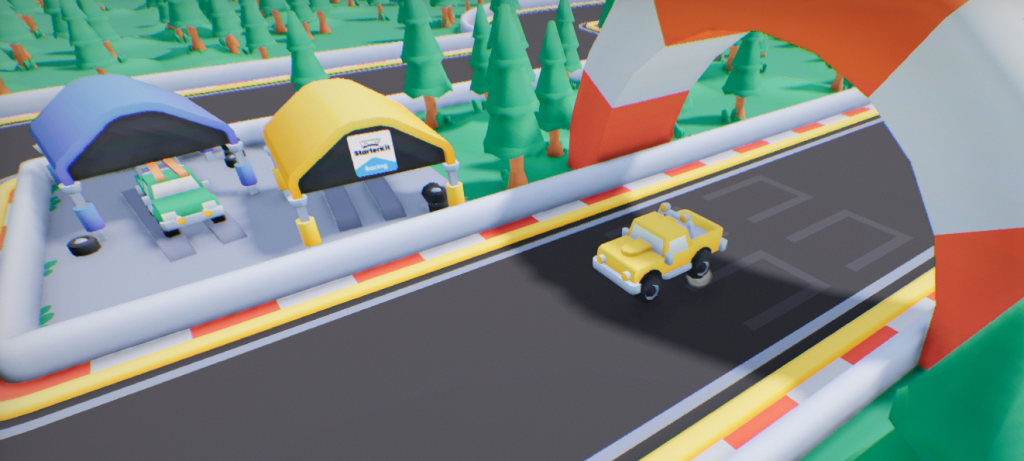
We did it! Flax 1.12 ships with initial support for building games for Web that can run in a browser. We use the latest WebGPU to draw high-quality and high-performance graphics. Engine has been optimized to run efficiently in a browser environment while supporting the most features. Now, you can export your games and host them online (eg. on itch.io), which easies adoption of Flax, especially by independent developers and enthusiasts.
To celebrate this breaking point we’ve ported simple racing game made by Kenney to Flax. The project has been open-sourced here. You can play it here:
See dedicated documentation to learn more about developing for Web.
Warning! Web support is experimental, and not all engine features are implemented yet (such as C# support).
Spring Bone Physics
| OFF | ON |
|---|---|
 |  |
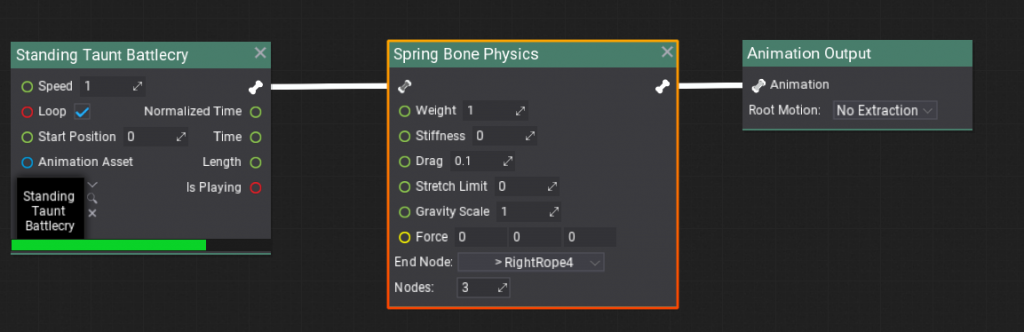
New Spring Bone Physics node simulates soft, physics-based trailing motion―like antennae, tails, or cloth strips―for a connected chain of skeletal bones. The root bone stays fixed to your normal animation, while each subsequent bone follows along with dynamic, secondary motion (sway, flutter, jiggle), automatically reacting to gravity, wind, and movement in a natural way. You can control how stiff, heavy, or flexible the bones feel, limit how sharply they can move, and combine with any standard animation system (this preserves your character’s main animations, only affecting the simulated bones).
New Look for Graph Editor
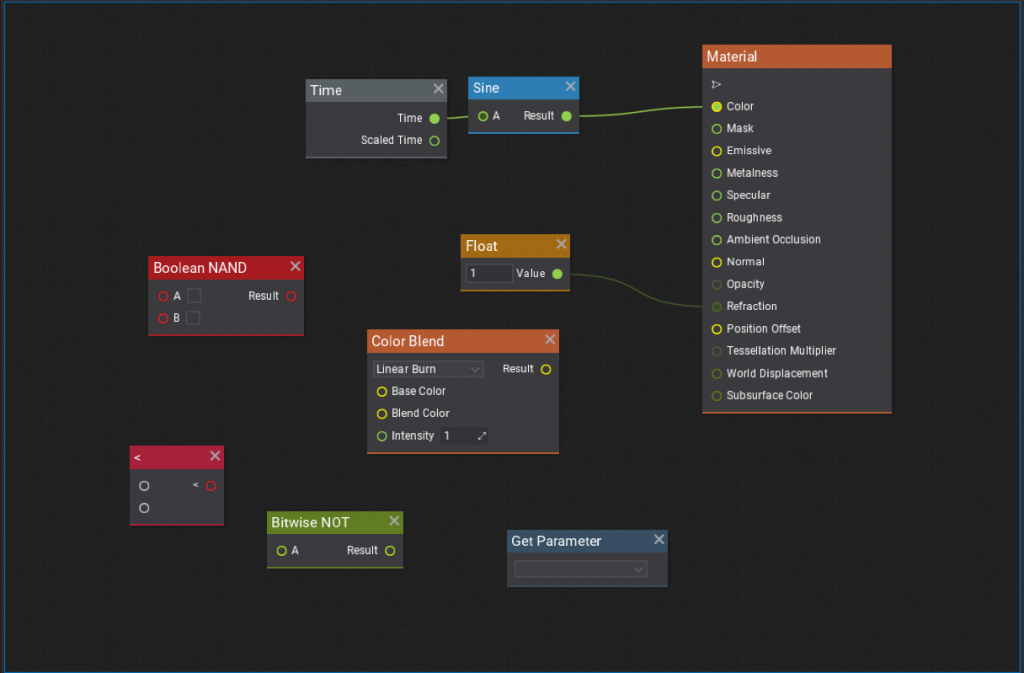
Visject, codename for our graph editor, has been updated with a new colorful style. It greatly improves readability of the graph. Materials, Particle Emitters, Behavior Trees, Visual Scripts, and Animation Graphs editing becomes smoother and more pleasant.
There have been a lot of changes and iteration, too many to list them all. To name a few:
- nodes will now auto resize based on their contents,
- nodes now have a slight shadow and a faint grid has been added to the background,
- selection outline thickness has been increased,
- margins and padding around node layout have been refactored,
- various nodes got alternative titles to improve searching for them,
- curve nodes can be resized,
- selected nodes can be focused by pressing
Shift + F, - node header is now colored, which allows to quickly recognize the type of node.
MSDF Fonts
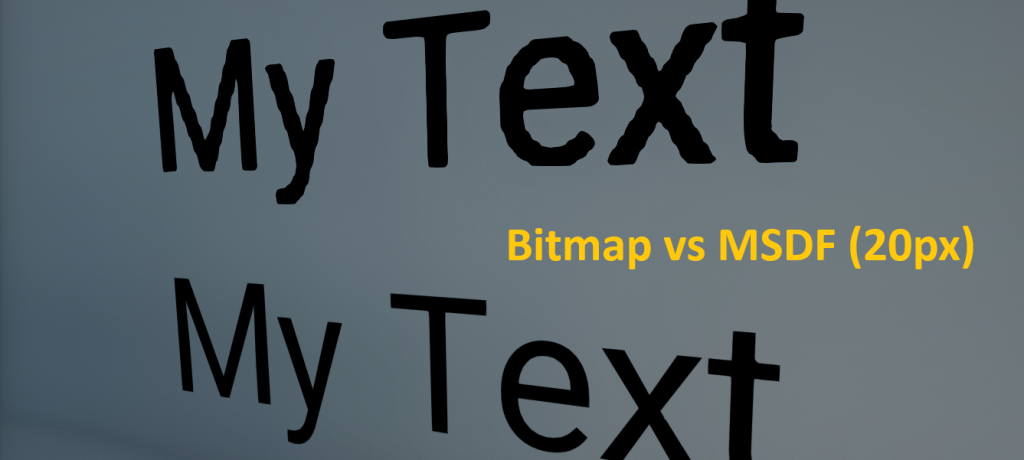
Multi-channel Signed Distance Field (MSDF) fonts are coming to Flax! This font rasterization algorithm calculates a distances to the glyph edges which provides high-qaulity fonts at large scales. Additional benefit of MSDF is ability to make interesting text effects such as outlines, glow, shadow, procedural texturing and more.
DDGI is Production Ready
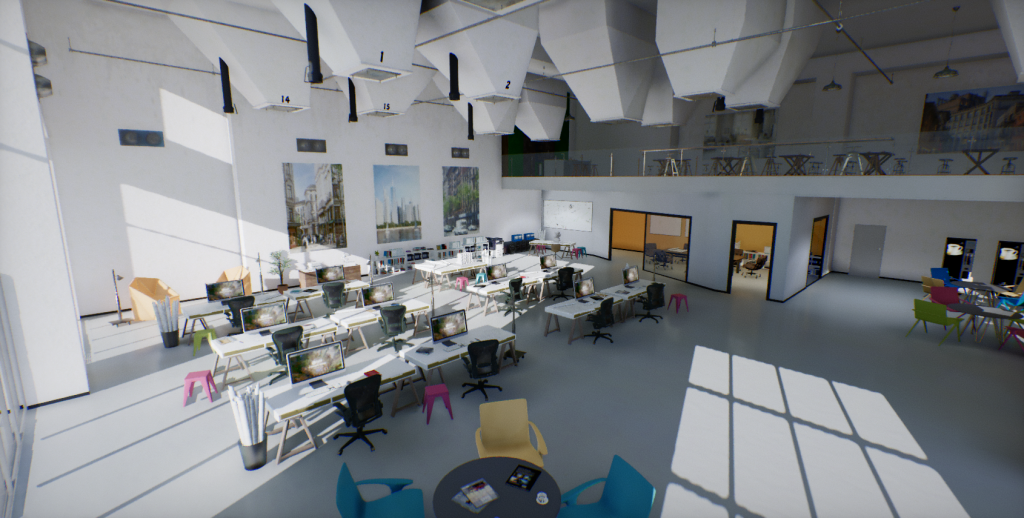
Over the past months, we’ve pushed various improvements to our implementation of Dynamic Diffuse Global Illumination (DDGI), which result in faster and improved raytraced realtime GI (based on software tracing SDFs). Long-standing issue with color shift towards yellow was fixed, and indirect shadow areas now have higher contrast. Probes sampling algorithm has been refactored to support fallback probes when drawing pixels in areas without nearby GI information. This fixes lighting on smoke particles or characters in large rooms or open-world maps where GI probes are placed far from lit objects.
On the topic of rendering, Screen Space Reflections tracing has been refactored to use Hi-Z buffer and more optimized combine pass, which greatly improves its performance. Also, we’ve managed to reduce resolution of Volumetric Fog while maintaining its quality by performing better temporal sampling and filtering. Now, Graphics Feature Tour project is running at around 150fps in native 4K resolution (3840×2160) without any upscaling on RTX 2080 Ti. More complex scenes should benefit too, for example Flax Tech Demo 2022 gets about 10% boost.
Direction Gizmo
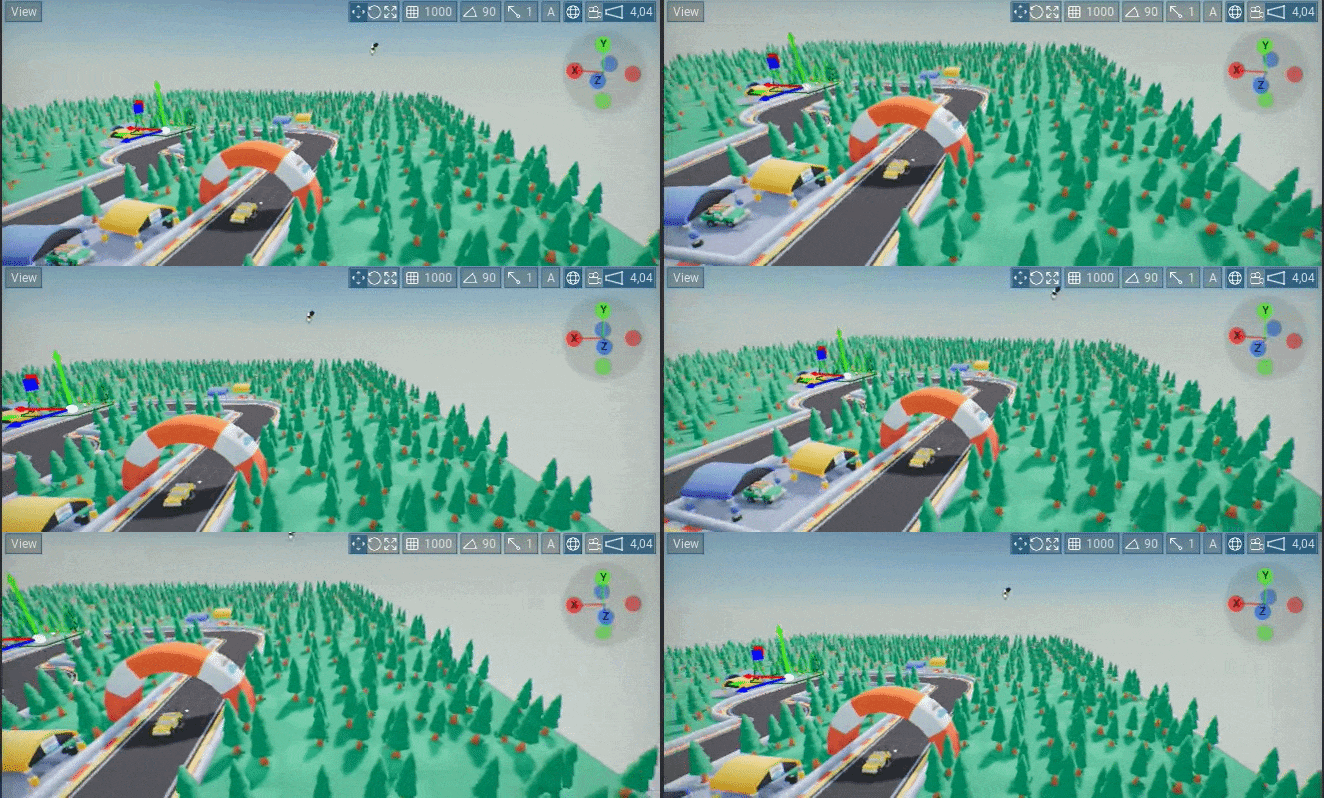
Ever felt lost in 3D space? Don’t worry, the new direction gizmo will show you the way (upper rigth corner). You can use it to see what way the editor camera is facing or click on one of the axis circles to make the camera look from that direction. It can be toggled or adjusted in Editor Options.
Good Game View
By pressing G, Editor will hide all widgets, as well as debug draw, from the main editor window. Don’t worry, you can restore all of that by pressing G again. You can also press P to toggle navmesh debug draw visibility.
SDL Platform Backend
Flax implements own abstraction layer over the platform APIs, such as windowing, input, filesystem, logging, etc. This allows running the same large engine codebase across different platforms such as consoles, mobile and desktop. On Linux, we relied on our implementation of X11 for windowing and input processing, which wasn’t stable enough for advanced users. That’s why we’ve added option to compile engine with SDL3 library to handle inputs and window management. Flax uses SDL on Linux by default now, optionally can be compiled on macOS and Windows too.
Now, Linux devs can use Wayland or X11 and get a far more stable user experience when developing games with Editor on Linux.
Tree View in Content Window
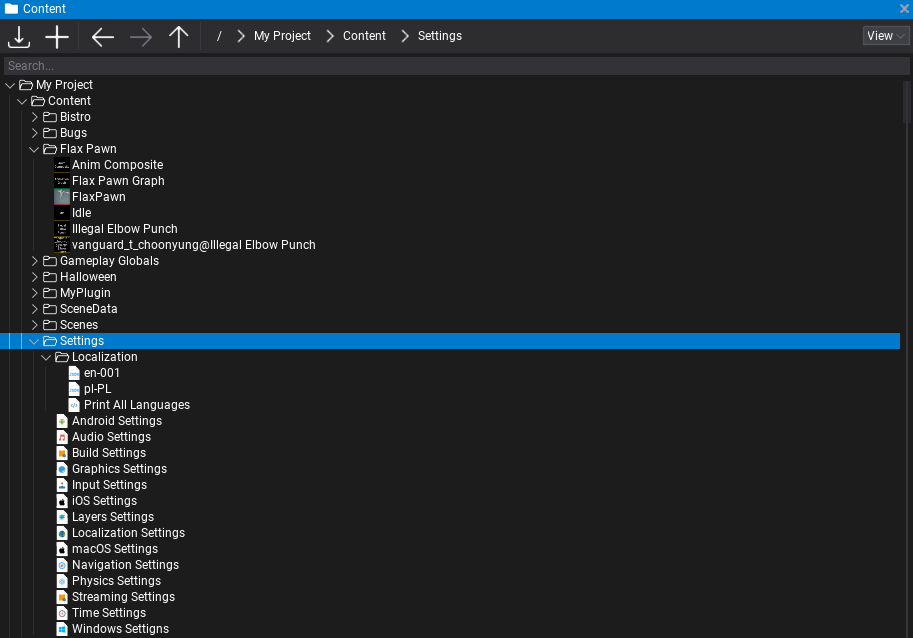
Content window now features a more compact tree view. It shows folders and items in one expandable and collapsible tree. This means you can now dock the Content panel next to other windows while still preserving full functionality.
Box Projection on Environment Probes
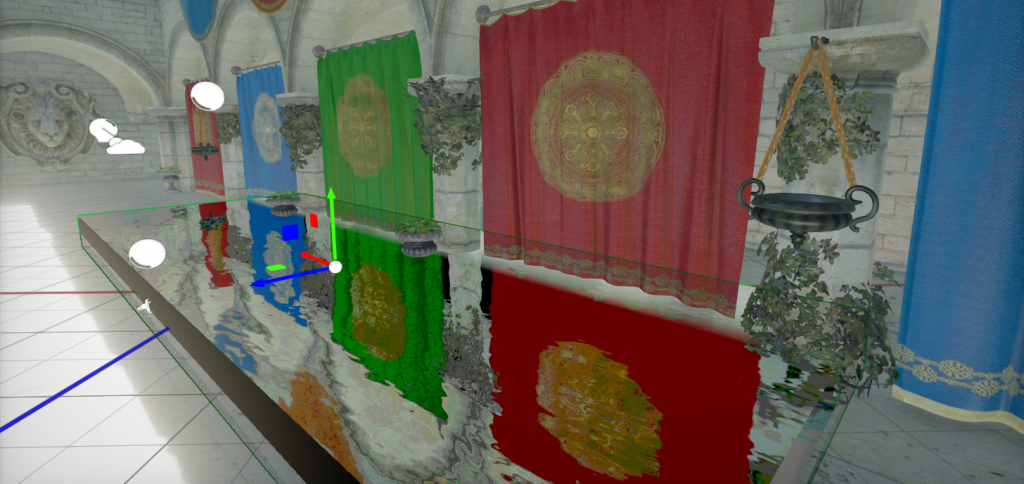
Environment Probes got a new Box Projection option to setup reflections for interiors in a more optimal way. It makes the reflections parallax correct as if they were cast by the oriented box volume, rather than a spherical shape.
Visject Wrangler
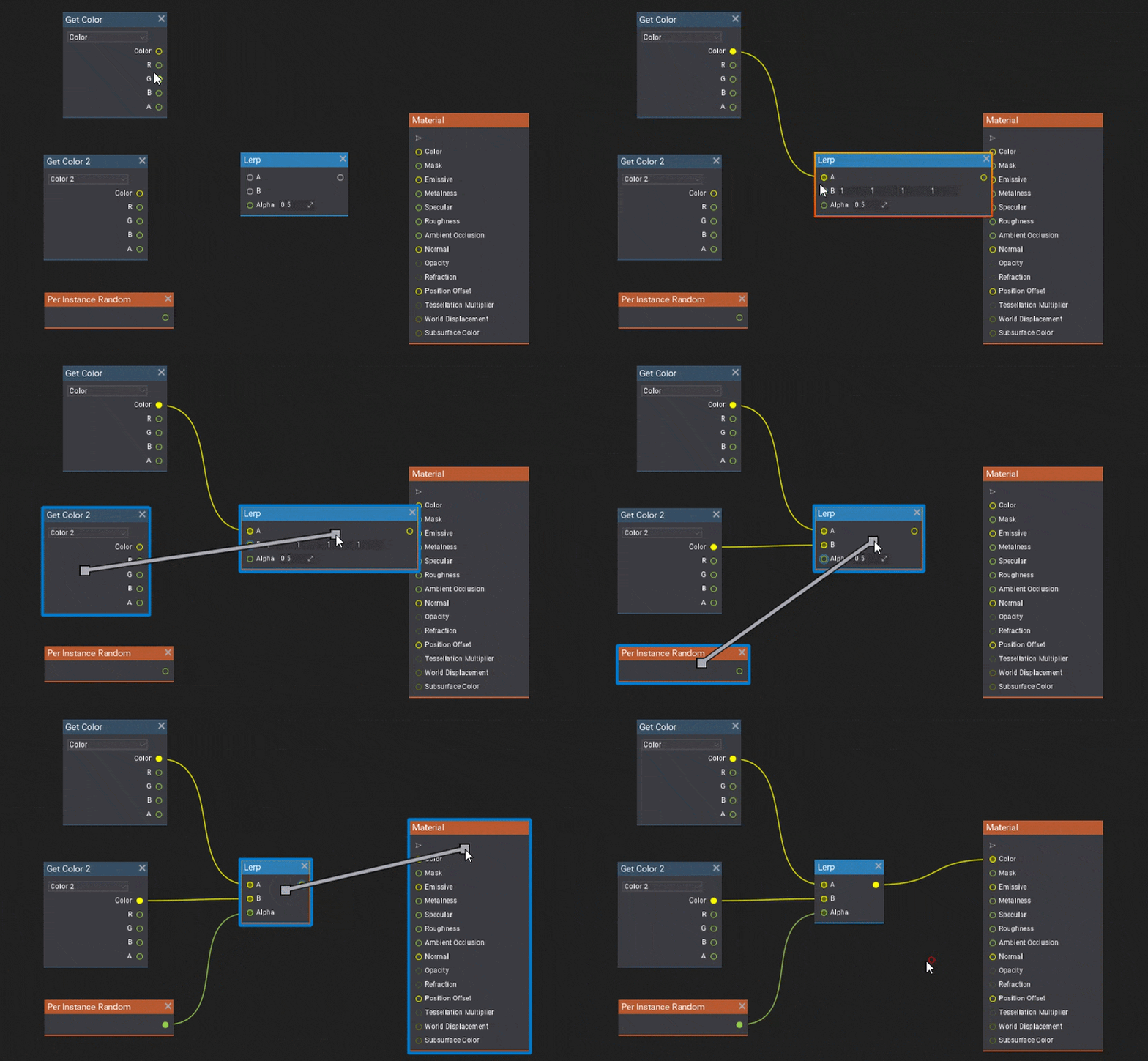
Connecting nodes is a thing you do a lot in a graph editor. Flax 1.12 introduces a lazy connect feature. To use it, simply hover the mouse cursor near a node, hold the Alt key and Right Mouse Button down, and drag towards another node. Flax will automatically make the best connection between both nodes. You can now also slot nodes into existing connections. To do that, drag a node over a connection between two nodes. Flax will automatically connect the node and move other nodes to make space if that is required. It is now also possible to remove a node from an existing connection while keeping the other nodes in that connection by moving the node while holding Alt.
Linear Color Space Workflow
Flax lighting and texturing pipeline had a bug where imported color maps weren’t matching sRGB curve properly. Engine post-processing and tonemapping were adjusted to make it look somewhat correct but the colors were not exact as they should be. Flax 1.12 ships with a new option Gamma Color Space in Graphics Settings that is checked by default and retains the old behaviour. However, we recommend new projects to disable it and use Linear Color Space workflow, which imports textures with correct sRGB handling. See Migration Guide section below to learn more. In the near future, we plan to migrate to the new behaviour by default for all new projects.
New Debug Tools
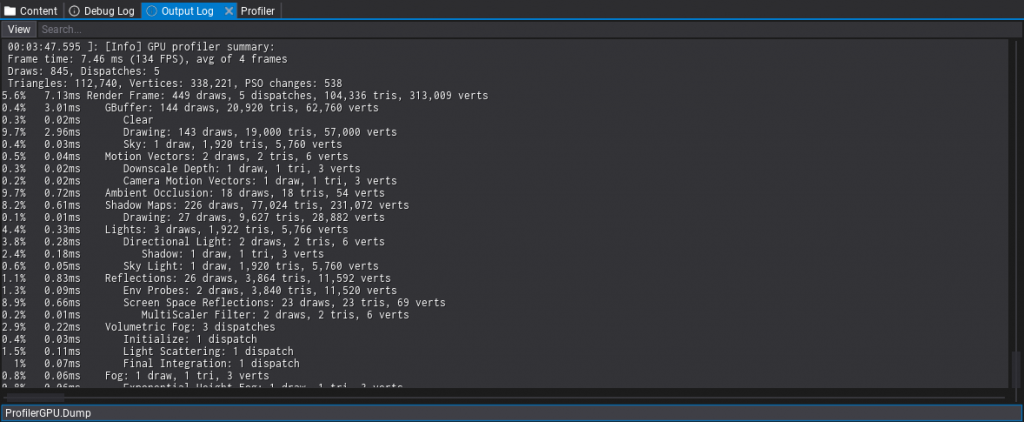
Use new ProfilerGPU.Dump command to quickly profile rendering performance. It works both in Editor and Game builds (Development/Debug) and outputs the summary of the frame stats with breakdown over the drawing events hierarchy, each with duration in milliseconds and percentage of the frame time. By default, it measures performance over 4 frames and averages results for more accurate A/B testing.
Additionally, GPUDevice.DumpResources command logs all GPU resources with detailed memory and usage stats for advanced debugging.

2 Comments
Amirhossein · May 20, 2026 at 2:42 PM
thank you for your hard work
Kai · June 21, 2026 at 9:49 AM
This looks awesome thank you so much.
I never make games but I play with the engine so much its almost like a game for me. 🙂