Hej
We’re happy to release Flax 1.13! Huge update with various new features and fixes. We’ve got surprise news down on the bottom⬇️
For this release, together with our contributors, we’ve made over 999 commits and merged 130 Pull Requests into Flax repositories. Thanks for your support!
As always, we will do a quick check around new features and highlights. To see detailed information, visit the official release notes (including Migration Guide).
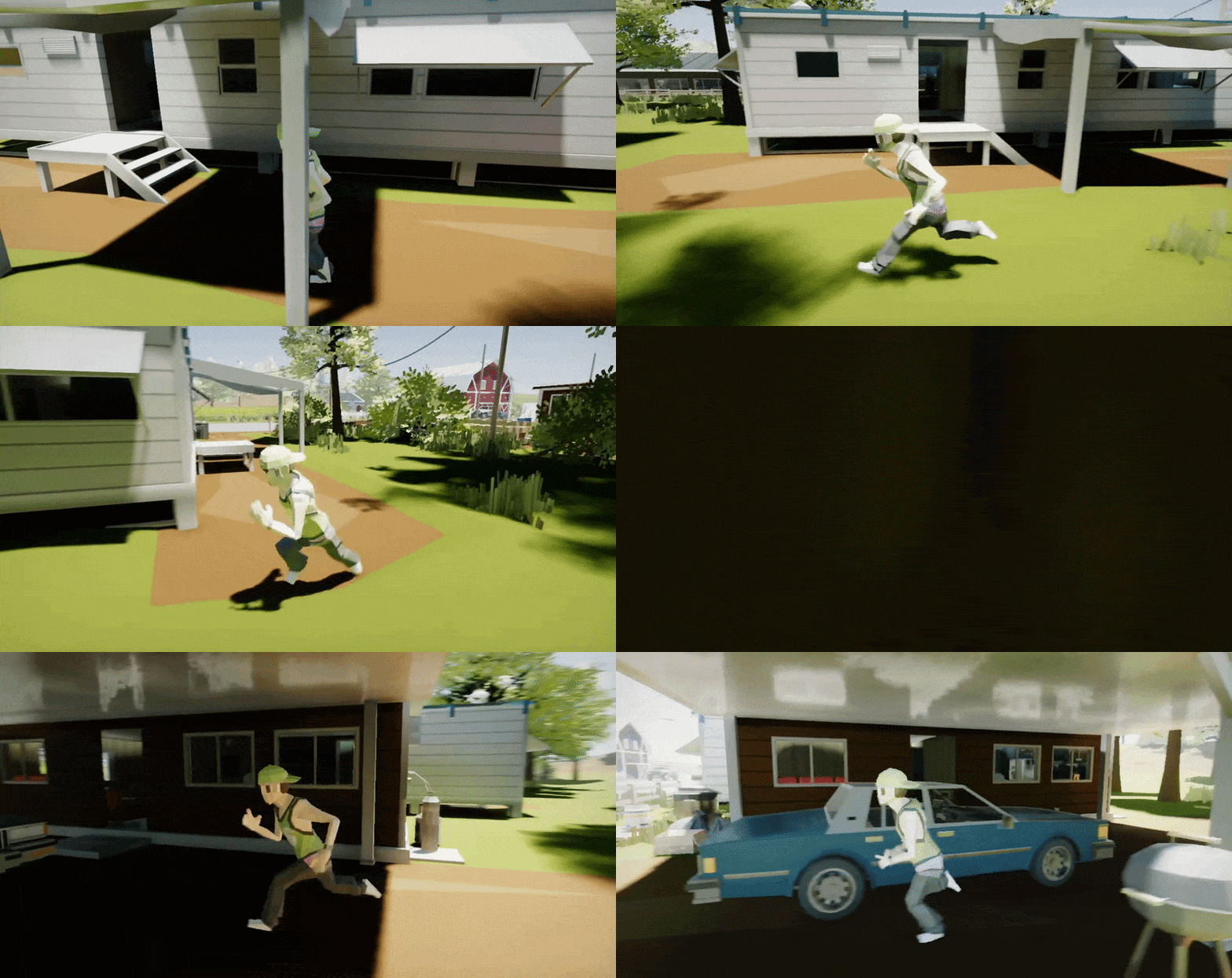
Made with Flax
We’re excited to share Homeostasis game that is made with Flax has been released:
Highlights
GI Improvements
Our DDGI implementation for realtime Global Illumination effect got several quality and performance updates to run even better. Now, DDGI sampling and filtering in areas far from probes yield much better results with properly preserved indirect shadowing. Also, there is a new option to render DDGI indirect lighting in half-res with bilateral upscaling. See docs to learn more about how to use it or play our Tech Demo on Steam.
.NET 10 and C# 14

Flax utilizes the modern .NET to run C# code efficiently across the various platforms (desktop, mobile, and consoles). We’ve been supporting .NET 8, 9, and 10, but the base version was .NET 8 LTS. Since .NET 8 reaches end-of-life support later this year, we’ve migrated to the latest .NET 10 which adds C# 14 and major performance improvements. This version is also Long Term Support, meaning it will receive frequent updates and security patches over the next few years. In the picture above, you can see Flax running with .NET 10 on Nintendo Switch.
PCSS Shadows

We’ve added a new high-quality PCSS shadow sampling algorithm with variable-size penumbra, which reflects realistic-looking shadowing. Now, the shadow penumbra adapts to the light source size and works with all light types (point, spot, directional). Altogether with DDGI, it creates believable lighting for any game type: from low-poly to high-fidelity worlds.

Local Co-op with Split-screen
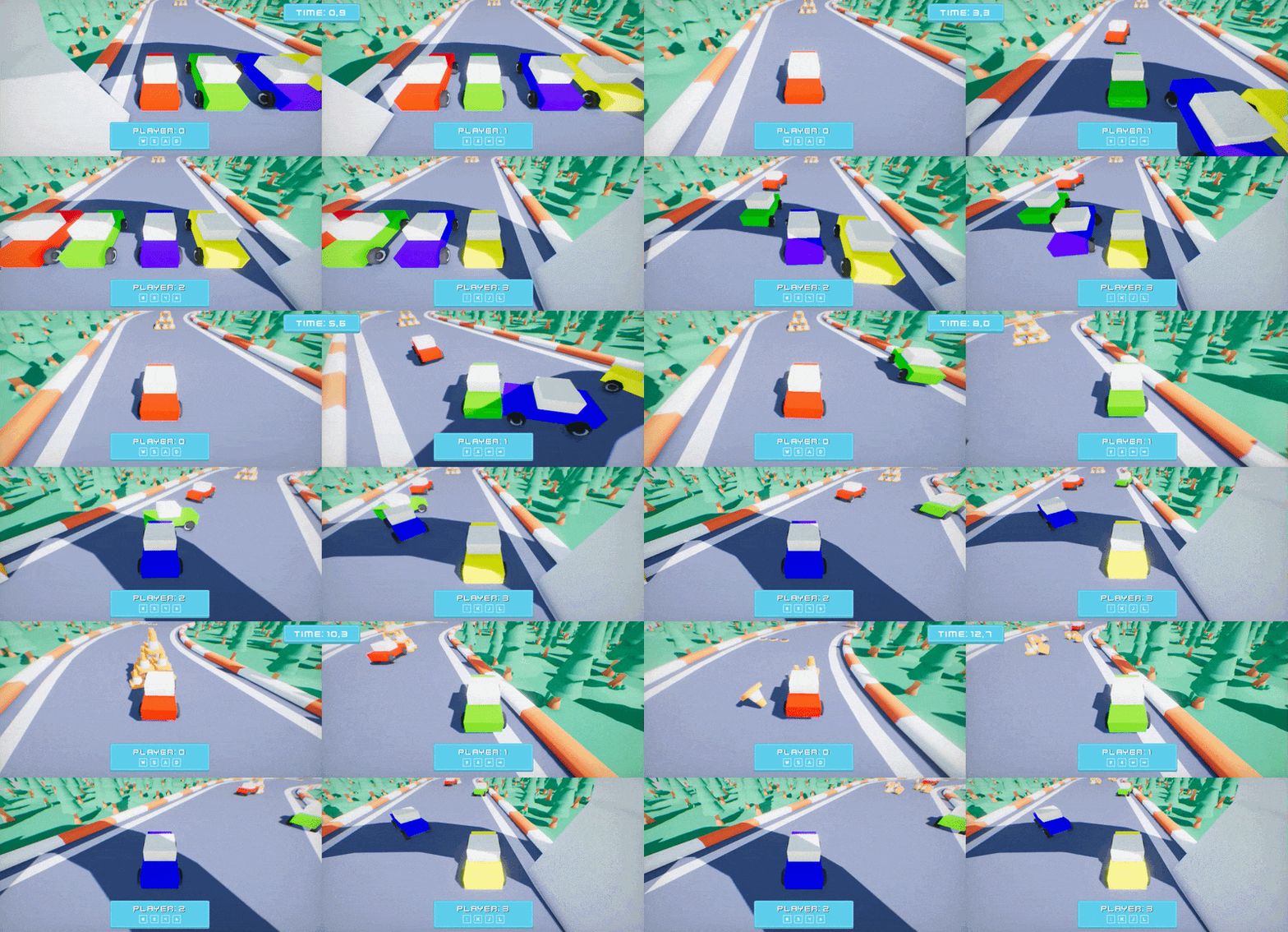
In 1.13 update, Flax allows rendering multiple viewports into the main window output with sub-rectangles for GUI. We’ve created a new sample project that showcases split-screen rendering with multiple HUDs. It’s a simple local co-op racing game project available here and based on Arizona Framework which got proper support for multiple local players out of the box.
DDGI Specular Reflections
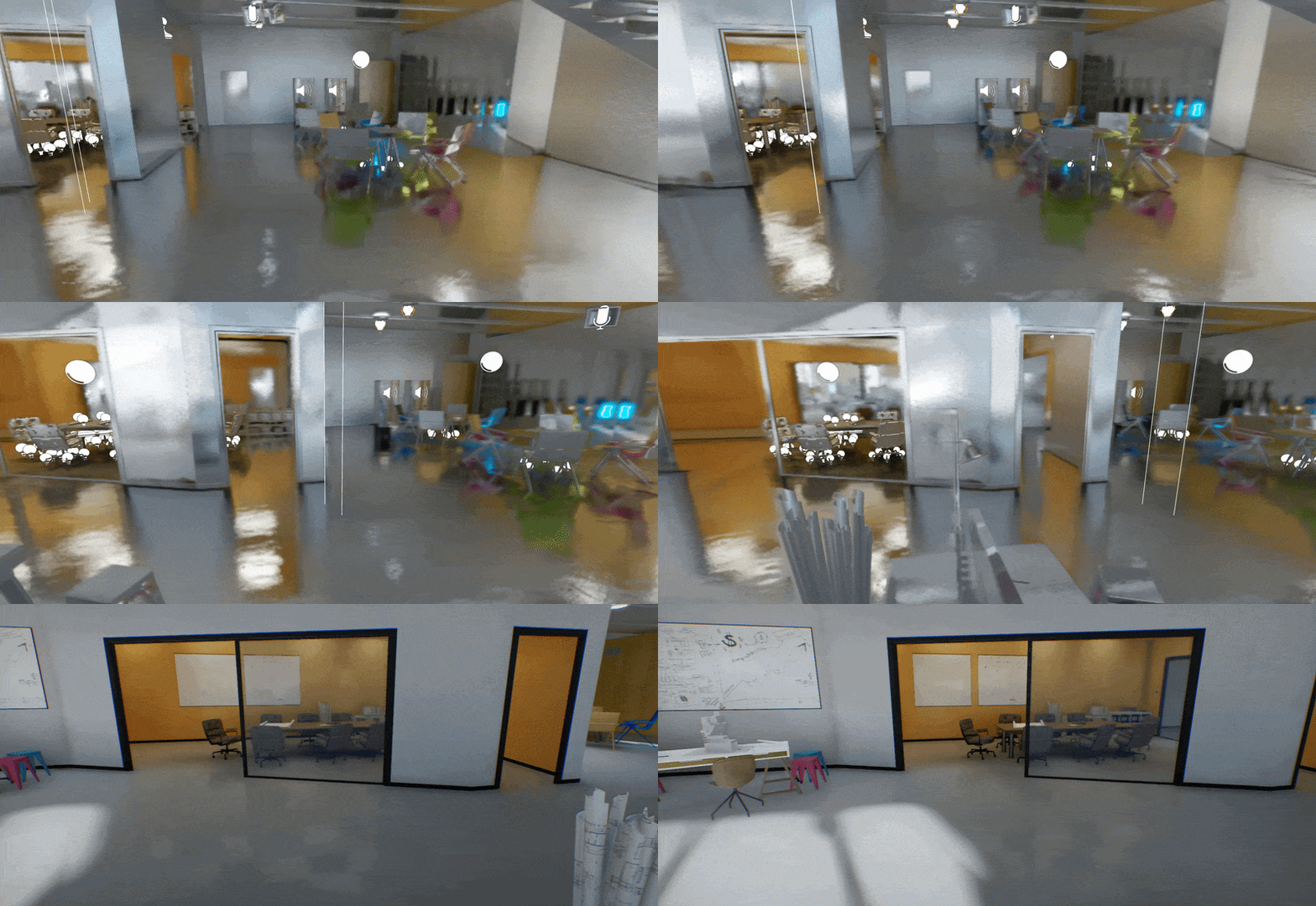
Real-time global illumination gets rough specular reflections! No need to place Environment Probes anymore. All lighting becomes fully dynamic. Flax already has full-scene reflections tracing (via our custom software ratracer based on SDFs) but only for mirror-like surfaces. Materials of higher roughness fall back to prebaked (or dynamic) Environment Probes. Now, DDGI can allocate a new set of probes with specular:

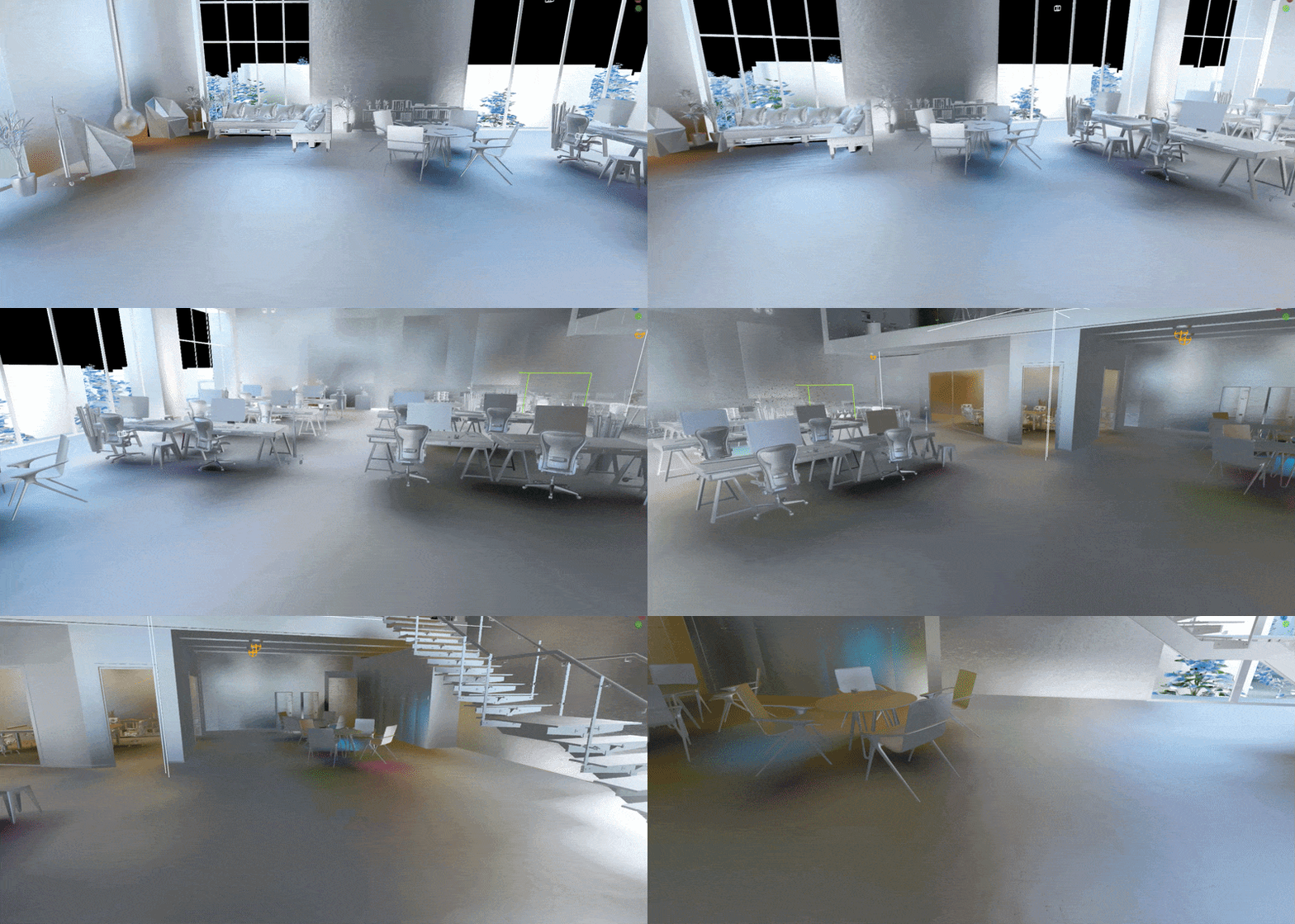
Complex scenes can have around 50,000 probes automatically placed around the camera (in cascades) and updated periodically. On presented level, effect adds 49mb of VRAM and 0.5ms – 0.9ms of GPU time (on 2080Ti). Rough reflections view:
Online Platform Sample
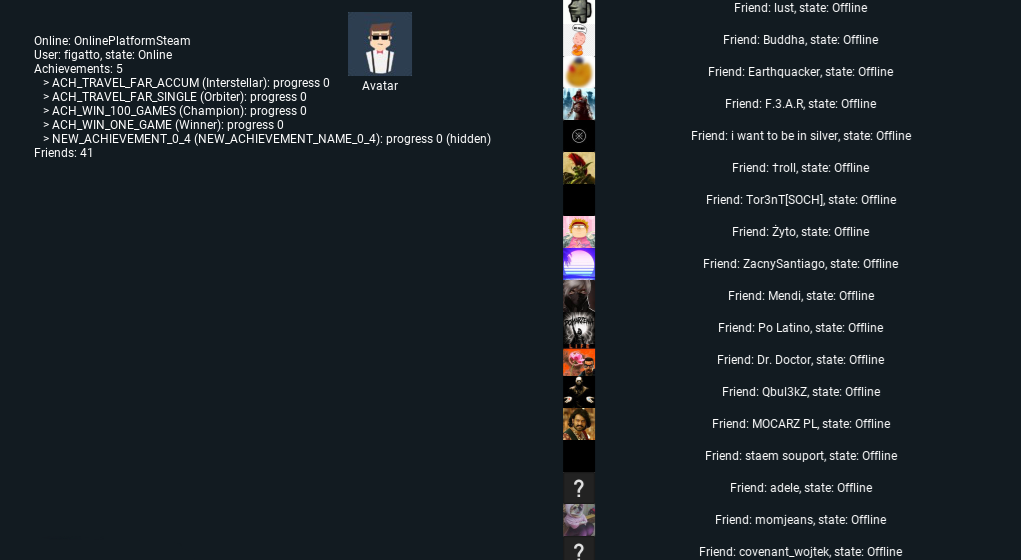
We’ve released a new simple showcase project for Online Platform usage. It’s an example of how to access online player profile information, including avatar, achievements, friends list, and more (available here). It uses new functionality in the IOnlinePlatform interface, including user avatars, overlay UI, and rich-presence access. The project contains Steam and Xbox Live plugins (PS4/PS5/Switch functionality is available only for registered developers).
Additionally, we’ve added new functionalities to IOnlinePlatform interface including: user avatars, overlay UI, and rich-presence access.
Properties Panel Search

Properties panel gets a search field to boost productivity and usability! The highly awaited feature comes to Editor, including the main properties panel and the one inside prefab editor.
Occlusion Culling
| Frustum culling only | With occlusion culling |
|---|---|
 | 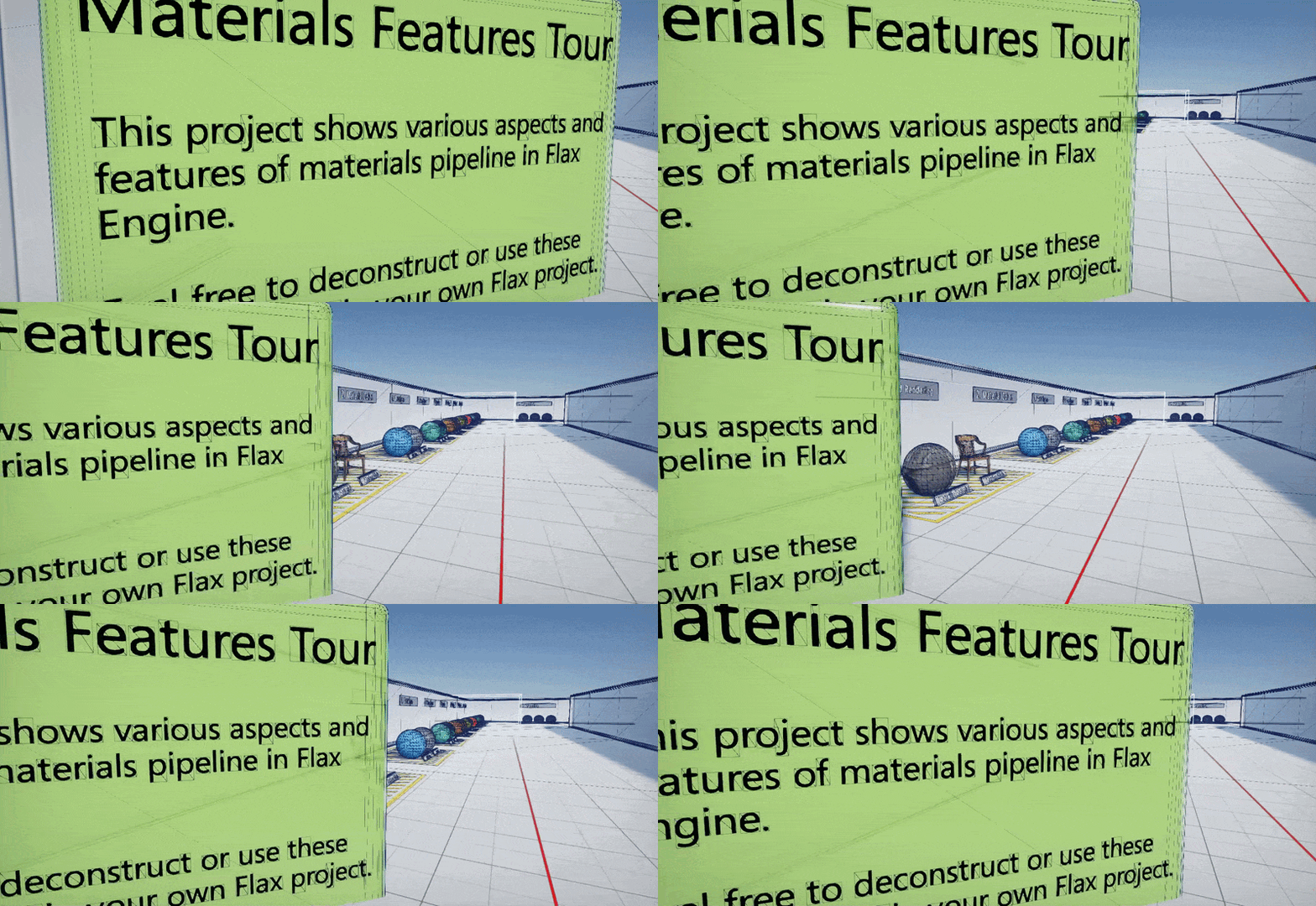 |
Finally, the occlusion culling system is coming to Flax! Now, the game can decide whether and how to cull occluded objects to reduce draw calls and improve performance, especially in interior-based games. In the videos above, you can see a before/after comparison of culling based on Hardware Occlusion Queries. It allows skipping objects occluded by others. A side effect is that it can cause some object popping artifacts, especially under heavy motion. Aside from culling based on hardware queries, we’ve implemented HZB-based culling, which yields more conservative results and scales better with high object counts. It works on static/animated models, particle effects, texts, terrain, foliage, and even dynamic shadows.
In the future, we plan to implement GPU-only culling with indirect drawing to skip the CPU-readback latency issue (via Two-Pass Culling). Finally, the new interface allows plugging in custom culling implementations (eg., software rasterization or pre-baked offline).
New Wireframe Debug View


Old and unusable wireframe view mode got a refresh, and now it looks good. Wireframe lines are drawn on top of the lit viewport with a depth-based color gradient and alpha-blending occluded meshes to improve readability. This view comes in handy when profiling or inspecting level and content.
Reversed Z
Flax rendering offers a new way of reversed depth projection that draws the scene depth buffer from 1 to 0, instead of the typical 0 to 1. This results in more depth precision being moved far from camera, where is usually needed, thus improving the quality of rendering large worlds. The new approach is default but can be disabled in custom engine builds. See Migration Guide down below to learn how this change might affect your projects.
Audio Device Detection
On many platforms, such as Windows, Linux, Android, macOS, iOS, and Web we use OpenAL API to play audio. This allows us to cover a lot of systems with the same implementation code. However, on Desktop we had issues with no auto-switching the output audio device when changing it on the system. Now, if players toggle output from headphones to speakers, your game will automatically follow and redirect the output to a proper device.
Hardware Instancing for Animated Model

Animated Models rendering has been refactored to store their skeleton bones data inside a global shared GPU buffer. This allowed us to batch the same skinned meshes using the same materials to draw at once within a single draw call. New feature greatly improves performance and helps to scale projects made with Flax to large open-worlds. In the picture above, you can see 5,000 animated and rendered basic characters (from Mixamo) that run at 60fps, including per-bone motion blur and shadows (on RTX 2080 Ti). Instancing significantly reduces CPU overhead; in this case, all of those models are animated and rendered within 4ms.
FSR 4 and TAAU
Nowadays, upscaling rendered image has become an integral part of most of the released games. While it leads to overblurry visuals with a lack of pixel-perfect sharpness, it has become a necessity in order to target higher frame rates, especially on 4K displays. Flax already offers ready-to-use FSR and DLSS plugins but we’ve added in-built support for upscaling game image during Temporal AA, which is commonly known as Temporal Anti-Aliasing Upsampling (TAAU). This method performs image upscaling while doing temporal history blending and yields acceptable results for small upscaling (eg. 80% render res). Our FSR plugin has been updated to the latest SDK version which contains AMD FSR 4.
Additionally, we’ve fixed global material textures mip level offset which ensures textures stay sharper when rendering image in lower resolution.
All-Way Resizable Nodes

Various resizable nodes such as comments or curves can be resized from all sides now. Also, node edges highlight when a mouse cursor hovers over them to ease usage. Try it, it feels so smooth now!
GPU Memory Profiler Update

GPU Memory profiler tab can preview selected resource now. It displays details such as data format, resource size, or dimensions. Textures (incl. render targets) are visualized and can be saved to file with a button. Additionally, GPU resource list has been filtered to skip showing internal objects such as PSOs, constant buffers, and others that are not relevant to game developers, hence their small impact.
Behavior Trees Improvements
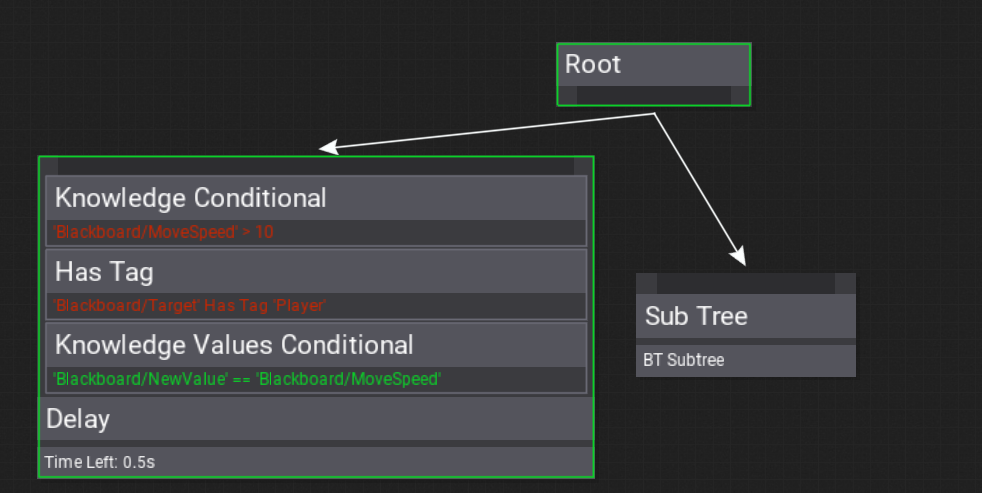
Behavior Trees editing got several significant improvements. Node decorators can display condition debug text, which greatly improves the readability of the logic. During play-mode those condition texts are colored based on the condition result to further improve the debugging experience. Also, decorators should match node size to reduce misplacement bugs.
Object Interface Reference
For those who like using Object Oriented Programming with interfaces and extendable scripting, we’ve added a new utility called ScriptingObjectInterfaceReference<T>. It holds a reference to an object (eg. Script or Actor) which implements an interface T. It works in both C++ and C# code with full support for serialization, prefab references, and editor that shows an object picker in properties panel.
UI Post Processing
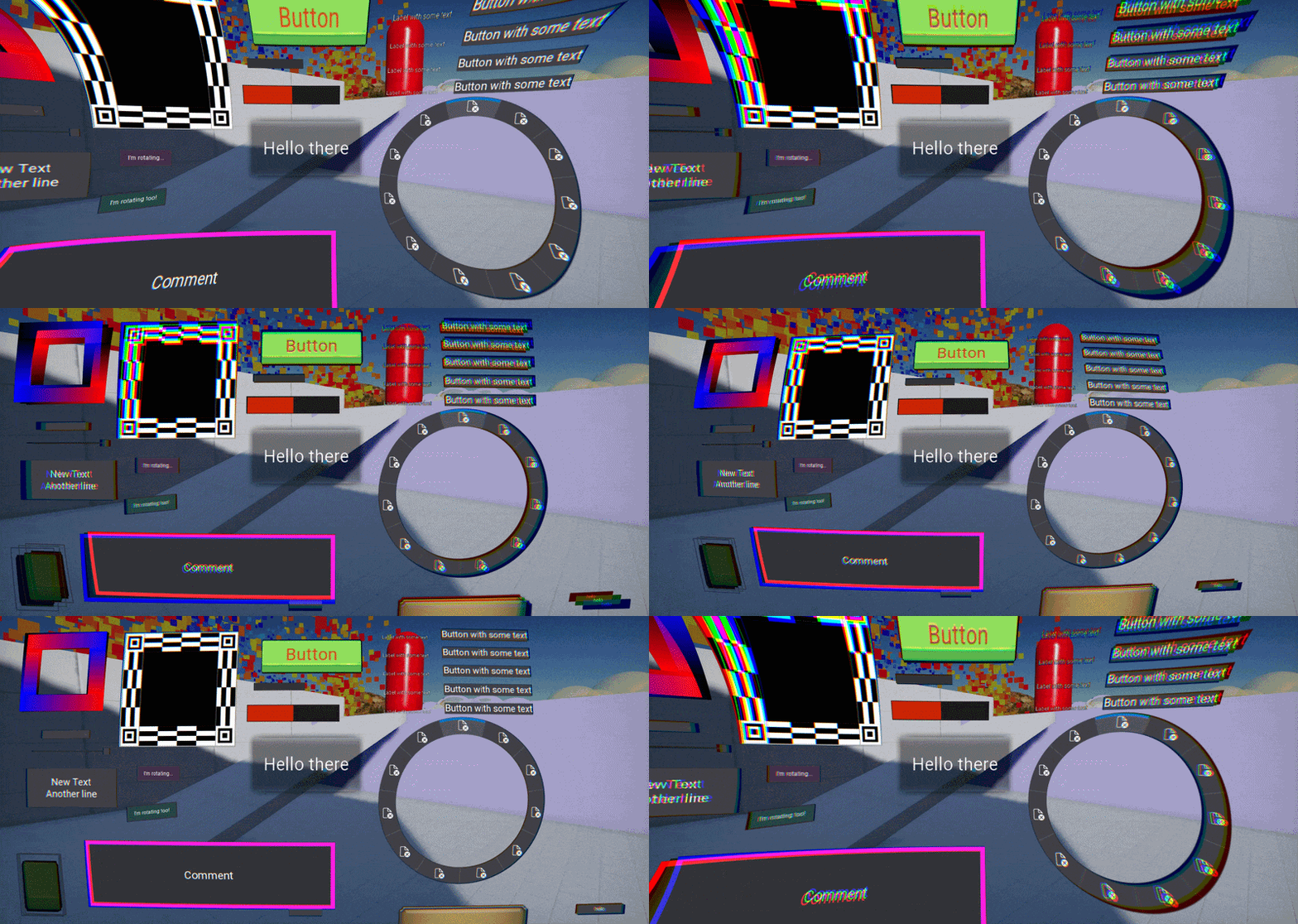
RenderToTextureControl draws the underlying UI structure into a texture and displays its contents instead of redrawing complex UI every frame. Now, it allows to draw a rendered UI with a custom material shader. In the shown example with some heavy distortion. It’s an easy way to stylize player HUD to match the artistic vision of the game. See the dedicated tutorial on how to do it yourself.
Roadmap to Flax 2.0
Flax has been proven as a production-ready engine with released titles and an actively growing community. Now, it’s time to start planning our next steps. In August 2026, we had an open discussion on our Discord server about the future and expectations of Flax 2.0 (link to thread). Then we put major topics and ideas into the roadmap card (subject to change). The current plan is as follows:
- Start discussions and design
- Release Flax 1.13 (October 2026) <- we’re here now
- Release Flax 1.14 in Q1 2027 with:
- New Editor Style
- Focus on non-rendering areas (esp. UI, Input and Scripting)
- Branch off for Flax 2.0
- Release Flax 1.15 in Q3 2027
- Mostly bug fixing
- Release Flax 2.0 late 2027
This provides about a year of ongoing updates of Flax 1 for those who want to start using it or are in active production. We aim to provide full backwards compatibility when upgrading projects to Flax 2. We invite everyone to come and join Flax Discord to be part of this discussion on #flax-2 channel.




1 Comment
Krzysztof · October 21, 2026 at 7:40 AM
Good work. Nice too see new features.